
Flip Browser
Browse faster. Stay private. Own your experience.
A next-generation web browser that blocks ads and trackers by default, keeps your tabs organized, and comes loaded with powerful built-in extensions.
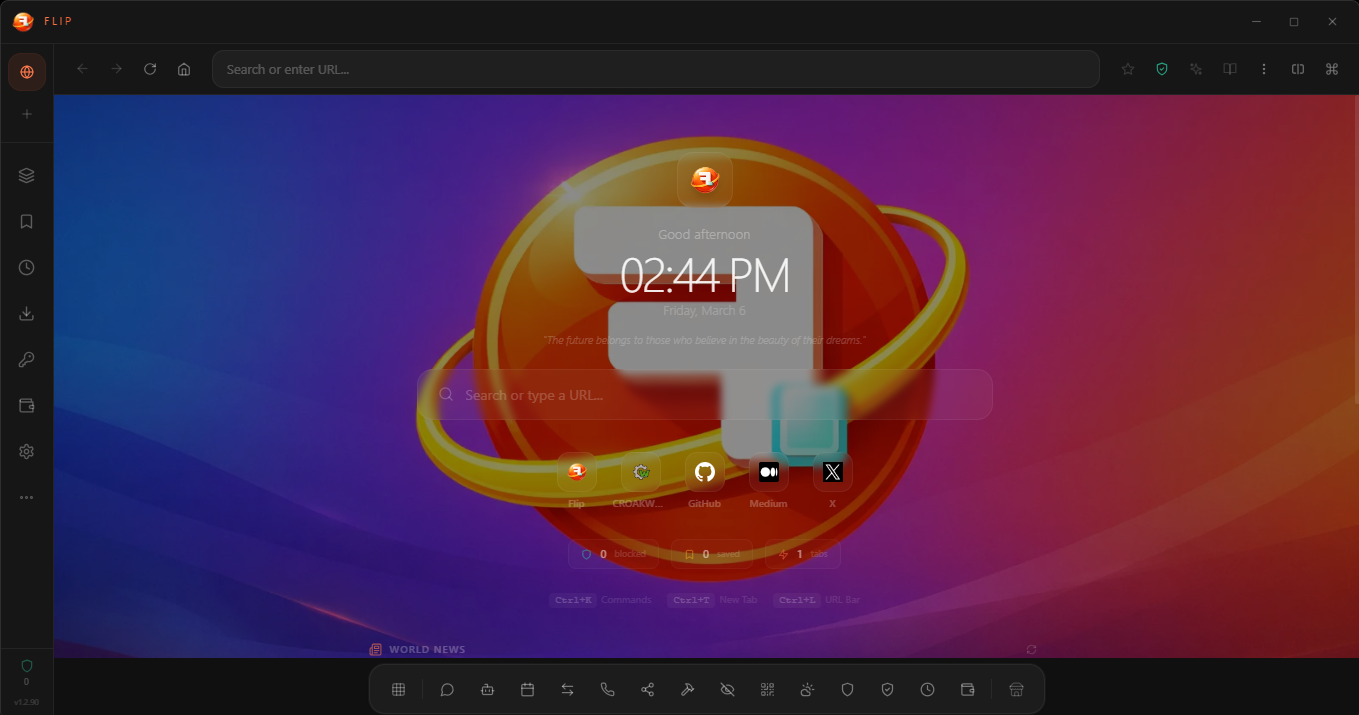
Everything you wish your browser had
Flip was designed from scratch to solve the problems Chrome, Edge, and Firefox won't.
Sidebar Tabs
Vertical tab list with search, pinning, groups, workspaces, and automatic suspension of inactive tabs. Pinned tabs and session state persist across restarts.
Ad & Tracker Blocking
Ads and trackers are blocked at the network level before they load. Tracking headers are stripped and a live blocked-request counter keeps you informed.
Built-in VPN / Proxy
Route your browser traffic through any proxy for extra privacy. See your real-time connection status and verify your IP at a glance.
React Extensions
7 built-in sidebar apps — Weather, Notes, Music Player, and more. Developers can also create and share their own custom extensions.
Reading Mode
Strip clutter with one click. Choose your font size, font style, and color theme for a distraction-free reading experience. Your preferences are saved automatically.
Picture-in-Picture
Pop any video into a floating always-on-top window. Works on YouTube, Twitch, and any website with video. One click from the address bar.
User Profiles
Create separate profiles with their own bookmarks, history, passwords, and settings. Switch instantly between personal, work, or any custom profile.
Custom Themes
6 built-in color schemes — Warm Coral, Ocean Blue, Midnight Purple, Forest Green, Rose Gold, and Monochrome. Plus custom new tab wallpapers.
Import / Export
Import bookmarks and passwords from Chrome or Firefox. Export all your data anytime — your browsing data is always yours to keep.
Screenshot & Translation
Capture any page as an image with one click. Translate pages into 12 languages with a built-in translate bar.
Command Palette
Press Ctrl+K to instantly search your tabs, bookmarks, history, and browser actions. 13 customizable keyboard shortcuts included.
Auto-Updates
Background update checks with user-controlled downloads. One-click install with real-time progress tracking. Always on the latest version.
Split View
View two web pages side by side in the same window. Perfect for comparing content, referencing docs, or multitasking without switching tabs.
Session Restore
Your open tabs are automatically saved as you browse. If the browser closes unexpectedly, everything comes back exactly where you left off.
Tab Groups & Workspaces
Organize your tabs into named groups that you can collapse, rename, or delete. Save entire workspace layouts and switch between them instantly.
Your data never leaves your device
Flip doesn't track you, doesn't phone home, and doesn't sell your data. Period.
Network-Level Blocking
Trackers and hidden data collectors are stopped before they even load. Tracking cookies are automatically removed from every page you visit.
HTTPS-Only Mode
Every connection is automatically secured with encryption before it leaves the browser. No setup needed — it’s on by default.
DNS-over-HTTPS
Your browsing destinations are encrypted so your internet provider can’t see which sites you visit. Always active and can’t be bypassed.
Fingerprint Protection
Websites can’t create a unique fingerprint of your device. Flip randomizes the data sites use to identify and track you across the web.
Tamper Protection
The browser verifies its own code every time it launches. If any file has been modified or tampered with, it won’t start — keeping you safe from injected threats.
Hardened Sandboxing
Extensions run in isolated containers and can’t access your personal data or other apps. Camera, microphone, and location are blocked by default.
Loaded with features out of the box
Crypto Dashboard
Top 10 coins by market cap in the sidebar. Prices, 24h changes, and auto-refresh every 60 seconds via CoinGecko.
Autofill Manager
Securely stores your addresses, payment info, and login credentials. Automatically fills forms on recognized sites. Everything is encrypted on your device.
Performance Dashboard
See real-time memory and CPU usage for every tab and extension. Color-coded indicators help you spot what’s slowing things down.
Music Player
Play music from your computer right in the browser. Shuffle, repeat, and enjoy a real-time audio wave visualizer while you browse.
Developer Extensions
Built-in developer tools: format and highlight code data, pick and convert colors between formats, and test text patterns with live results.
Notifications Manager
Control which websites can send you notifications. Allow, block, or reset permissions for any site — your choices are remembered.
Keyboard Shortcuts
13 customizable shortcuts — just press your desired key combo to set a new one. Reset to defaults anytime. Your changes are saved automatically.
Site-Specific Settings
Set custom zoom levels and cookie preferences for individual websites. Fine-tune any site to work exactly how you want.
Customizable Settings
Choose your default search engine — DuckDuckGo, Bing, Brave, Yahoo, or Ecosia. Multi-language support and neatly organized settings for easy customization.
Password Manager
Save, reveal, and autofill your login credentials securely. Passwords are encrypted on your device and auto-filled on recognized sites.
Download Manager
Track all your downloads with real-time progress bars, speed indicators, and status updates — all accessible from the sidebar.
New Tab Dashboard
A personalized start page with live clock, daily motivational quotes, world news headlines, quick-access links, and browsing stats at a glance.
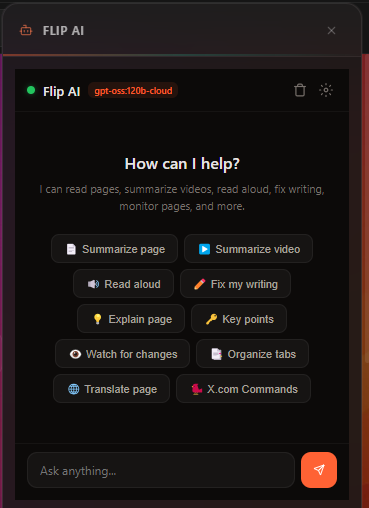
An AI that actually knows your browser
Flip AI lives in the sidebar and has deep access to your tabs, pages, history, and bookmarks. Summarize pages, organize tabs, search the web, extract data — all through natural language.
- Works with popular AI models — run locally with Ollama, or connect to OpenAI and others
- 24 built-in actions — read pages, manage tabs, search the web, and pull out key content
- Real-time streaming answers that can chain multiple actions together automatically
- Quick actions — summarize, explain, key points, organize tabs, translate
- Right-click "Ask Flip AI" on any selected text or page
- Your settings and credentials are encrypted and stored securely on your device
Discover, install, and build extensions
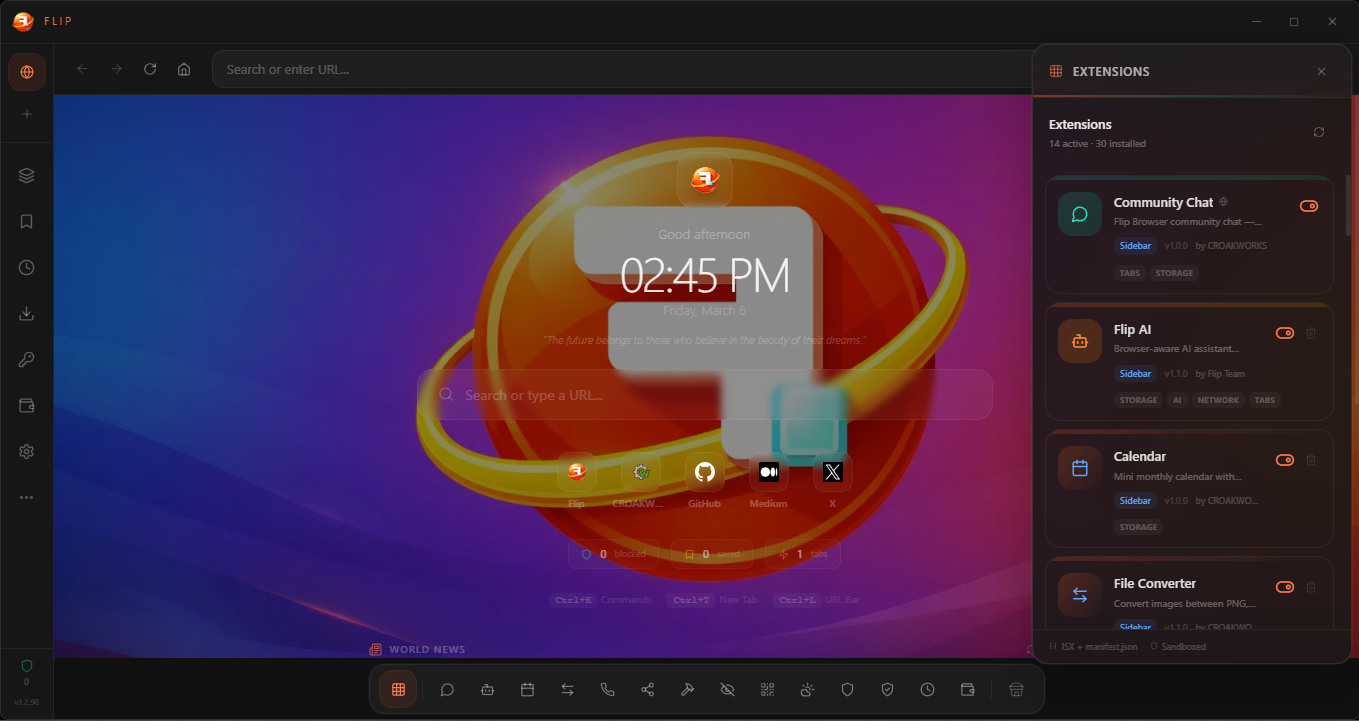
Browse a curated catalog of extensions. One-click install, automatic updates, and the same security as built-in features.
- Browse featured extensions by category, or search for exactly what you need
- One-click install and uninstall from the sidebar
- 15+ extensions — AI Chat, Music Player, File Sharing, Video Calling, Screenshot Annotator, Meme Generator, and more
- Developers can build and publish their own extensions with a simple toolkit
- Extensions can share data with each other securely
- Built-in Community Chat with private and public support channels — all encrypted
- Every extension runs in a secure, isolated environment
Built on proven, modern foundations
Powered by the same rendering engine as Chrome, wrapped in a modern React interface.
Where we're headed
A phased approach to building the browser people actually want.
- Core browsing, ad/tracker blocking, split view
- Extension system with built-in apps
- Crypto tracker and command palette
- Windows, macOS, and Linux packaging
- Wallpapers, tab pinning, download manager
- Reading mode, bookmarks bar, password manager
- Encrypted connections and fingerprint protection
- Tamper protection and encrypted storage
- VPN/Proxy, autofill, notifications manager
- Performance dashboard, import/export
- PiP, user profiles, session restore
- Screenshot, translation, keyboard shortcuts
- Flip AI assistant with 24 browser actions
- Extension marketplace with remote catalog
- File sharing, video calling, and creative extensions
- Custom themes, tab groups, auto-updates
- Encrypted cross-device sync
- Mobile companion app
- Linux publishing
Ready to flip the script?
Available on Windows and macOS. Request a license key to get started.
To get a license key, reach out to @CLOS787 on X
Need help? Flip includes a built-in Community Chat extension with private and public support channels — all encrypted and accessible right from the sidebar.